AI4MorphOS
A native AI client & tool-using agent for MorphOS
Chat with Claude or any OpenAI-compatible model, or switch on the agent and let it read, write and run things on your MorphOS — safely, with per-folder approvals. Built natively in C with MUI, HTTPS over the SDK's OpenSSL + libcurl.
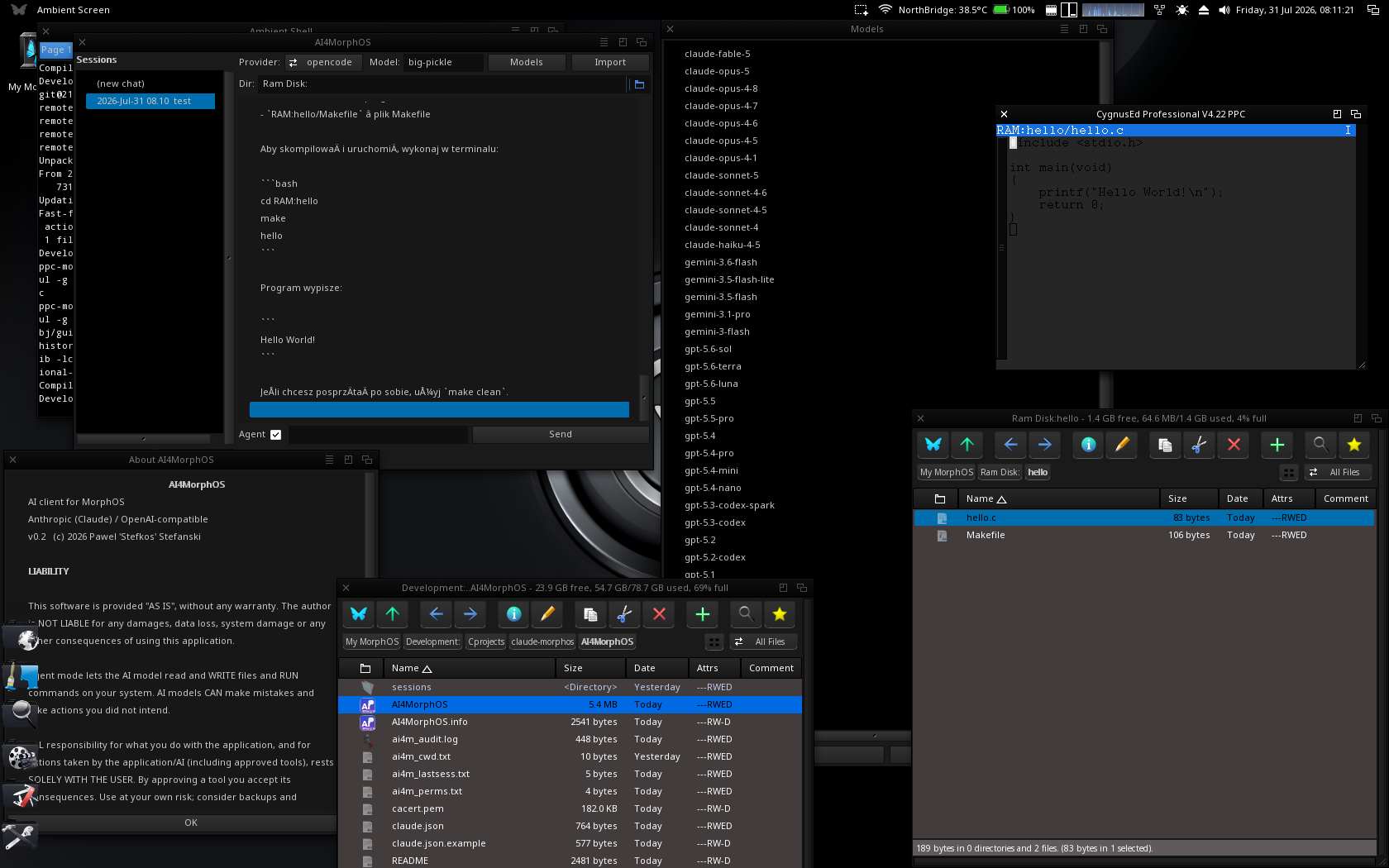
Features
Everything runs locally on your MorphOS box; only the API calls leave the machine.
Multi-provider
Anthropic (Claude) natively, plus any OpenAI-compatible endpoint — OpenAI, DeepSeek, OpenRouter and more. Pick provider & model in the top bar.
Agent mode
A ReAct tool loop that works the same on every provider: list_dir, read_file, write_file, search, replace_in_file, run, remember — several tools per turn, with targeted edits instead of rewriting whole files.
Safe by default
File tools are confined to a working directory; anything outside prompts Yes / Session / Always / No. Every action is written to an audit log.
Sessions
Conversations auto-save on the left, each with its own working directory. Double-click to resume; a right-click menu edits memos or clears a chat.
Memo & tool cache
A Markdown memory injected every turn — global and per-project. The agent caches where it found the compiler and other tools, so it never searches twice.
Slash commands
Type /help, /new, /cwd, /model, /remember or /memo right in the input — handled locally, never sent to the AI.
Responsive & stoppable
Non-blocking transfers (curl multi) keep the GUI live during a request, and the Stop button aborts a call in flight.
Git & editor
A one-click git init appears when your working dir isn't a repo, and you can open memos in your own editor of choice.
Rich view
Conversation on Scintilla — selectable, copyable, user vs AI styled, optional folding to collapse long replies. Multi-line input for pasting.
Live streaming
Replies stream in token by token, a token counter shows usage, and long chats are auto-compacted (summarised) so requests stay small and cheap.
Agent at work
Told to build a program, the agent writes the source and Makefile, runs the PPC gcc, reads the errors and iterates — here it produced a running SDL Mandelbrot.
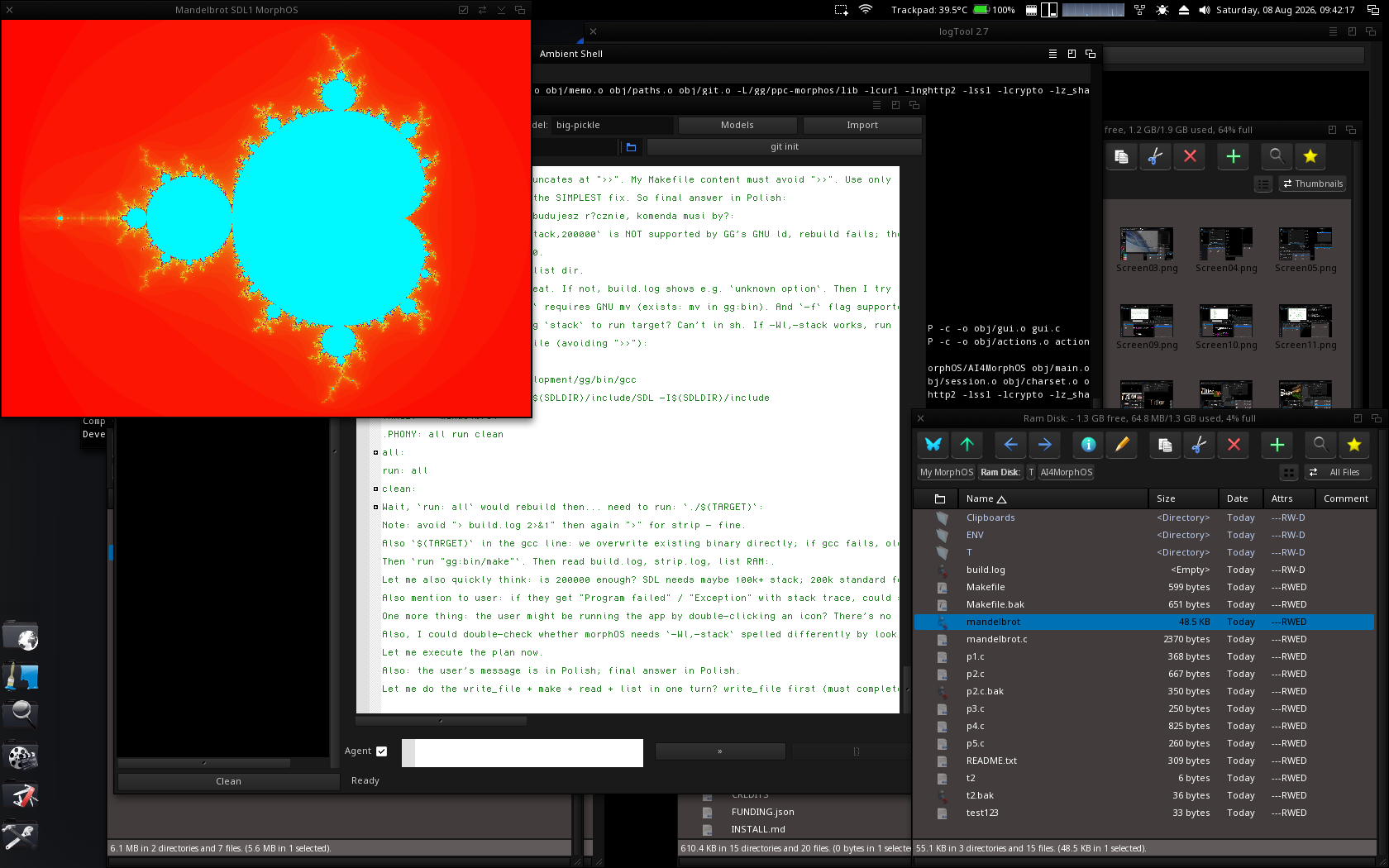
write_file (with a .bak backup), run make, read the build log, fix, run again — and a Mandelbrot window appears. Note the new »/[] Send/Stop buttons and the git init shortcut.How the agent works
A provider-neutral text protocol — the model asks for a tool by writing a line, the app runs it and feeds the result back.
Tools
list_dirlist a directoryread_fileread a filewrite_filewrite a file — backs up to .bak firstrunrun an AmigaDOS commandremembercache a note (global or project)
Guard rails
- Confined to the working directory you choose
- Yes / Session / Always / No approval per folder and for every command
- Full audit log of provider, model, tool and decision
- Stop button and a configurable step limit
Download
Requirements
- MorphOS on PPC
- An internet connection
- An API key for your provider (Anthropic or an OpenAI-compatible service)
Set up
- Unpack the archive anywhere.
- Copy
claude.json.exampletoconfig/claude.jsonand add your key. - Launch AI4MorphOS, pick a provider & model, and start chatting.