FLOPSAR 3D

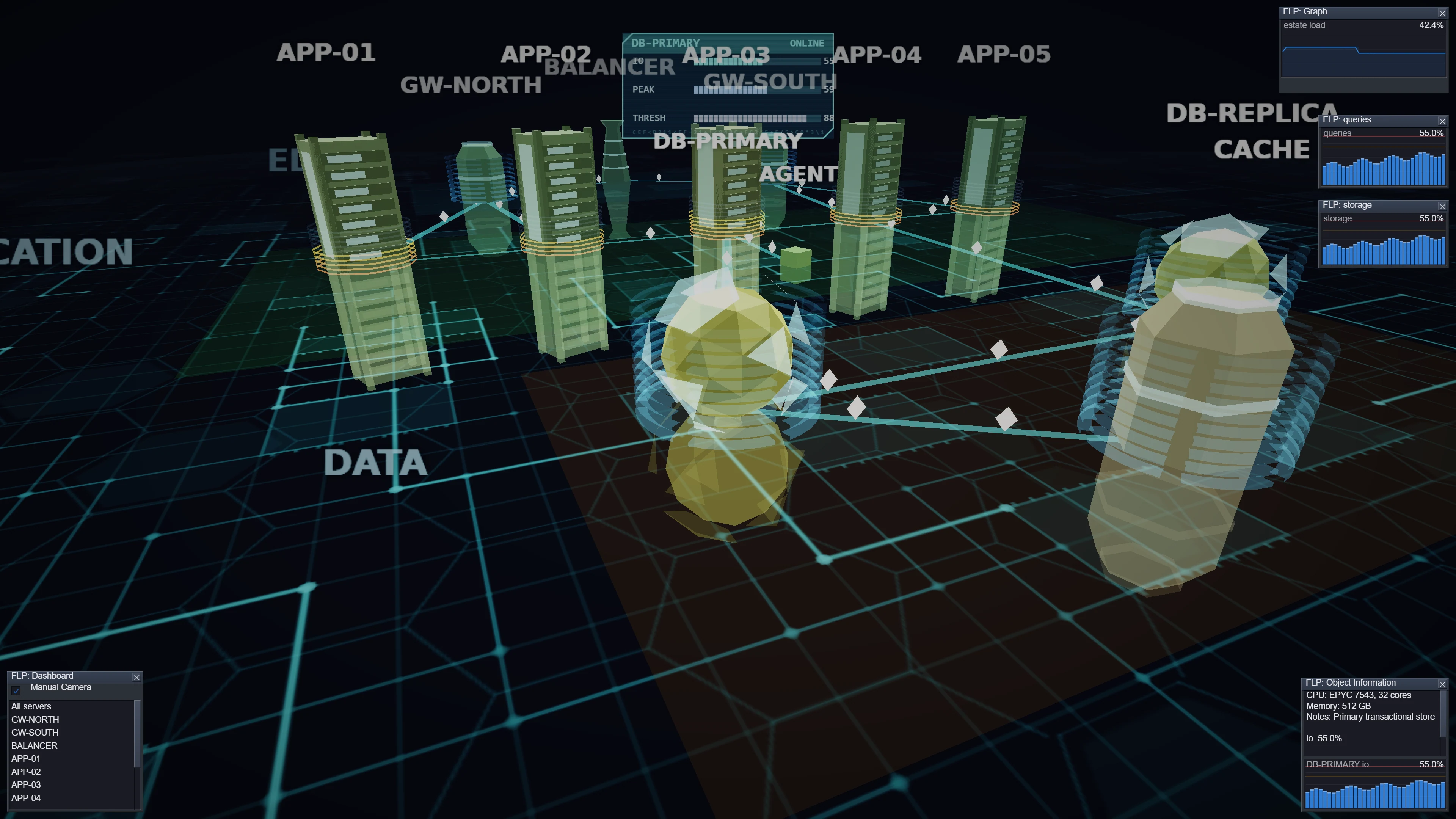
A dashboard for the FLOPSAR JVM diagnostics suite that draws the machines you run as a live 3D scene instead of a table of numbers. The camera flies itself around the estate; when something breaches its threshold, the camera goes and looks at it. Written in C++ and OpenGL 1.1 in 2013, rebuilt from the ground up as a WebGL application in 2026.
What it is
FLOPSAR is a fault detection and diagnostics suite for Java systems: agents attach to running JVMs, watch what the application actually does at method level, and stream what they see back to a central server. FLOPSAR 3D is a front end for that data — not another chart page, but a room you can look around.
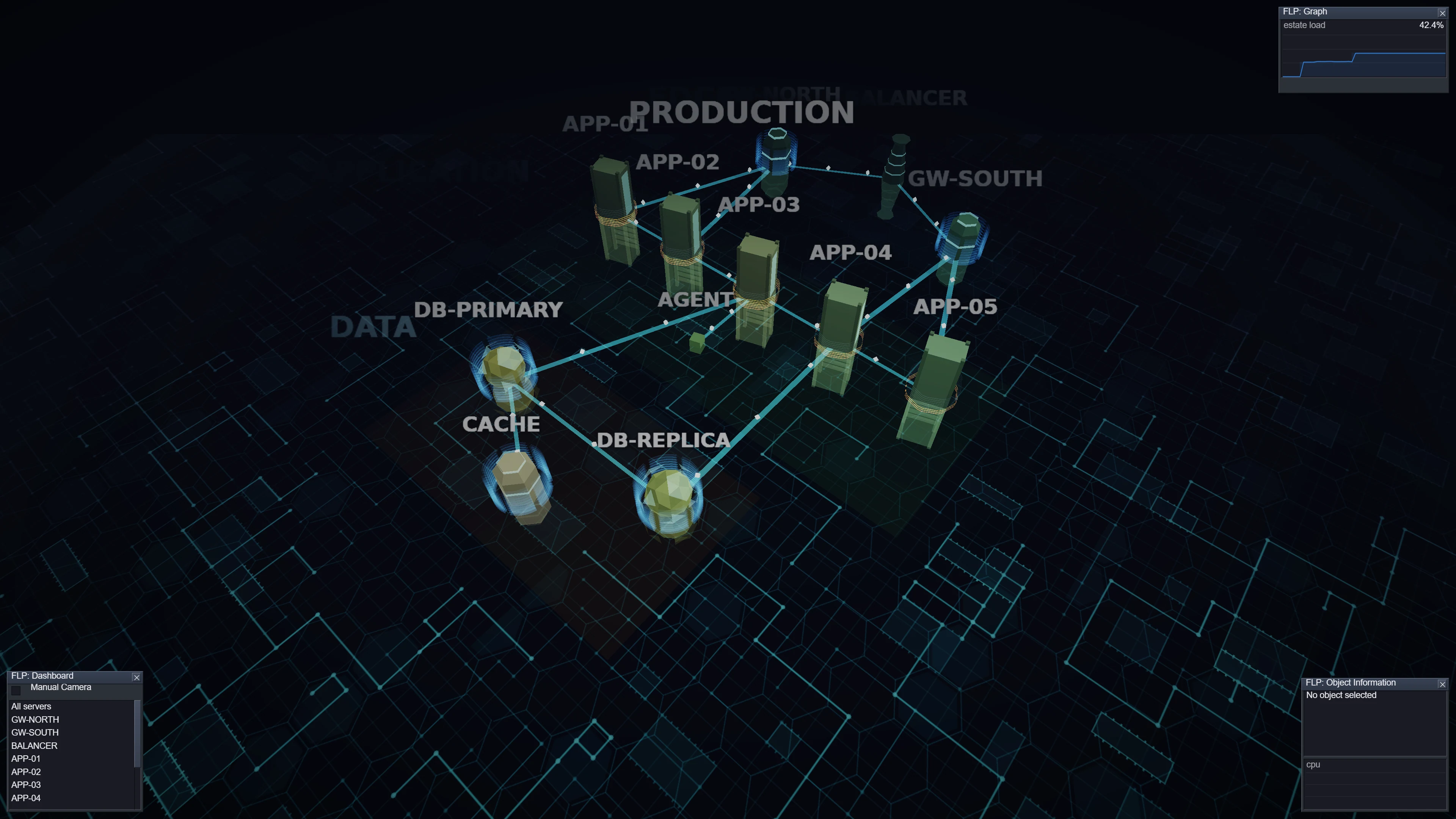
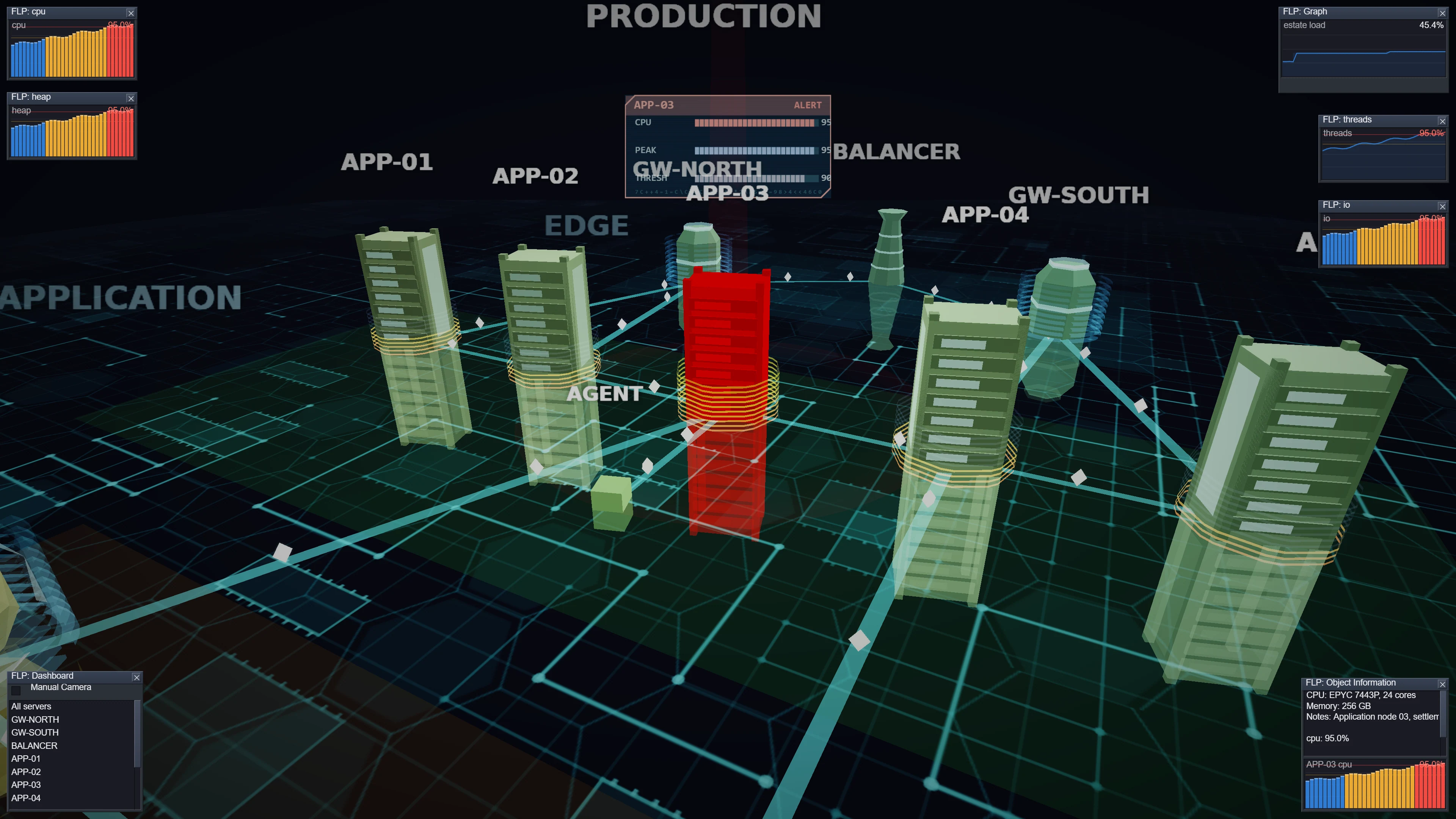
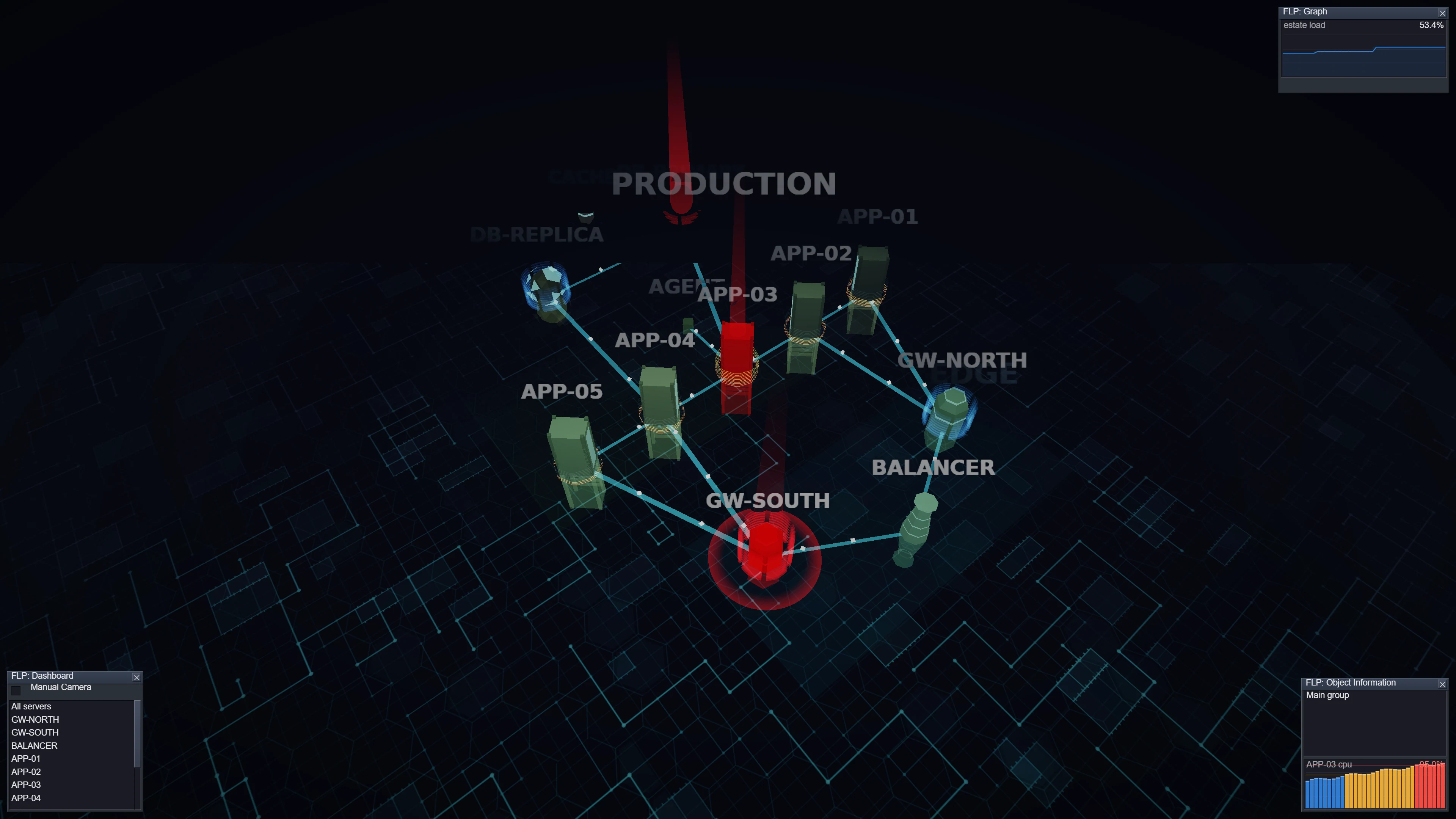
Every monitored system becomes an object on a lit surface, grouped into tiers — ingress, application, persistence. Links between them carry visible traffic. Colour tracks load: green through amber to red. Machines that cross their alert threshold throw a beam of light straight up, ring the floor with a shockwave, and pull the camera to them.
The point is peripheral vision. A wall screen showing forty systems does not need you to read it — it needs you to notice, from across the room, that something has gone red and that the camera has already flown there.
Live demo
The real client, running here in your browser — the same code, driven by a simulated estate instead of a live FLOPSAR server. Tick Manual Camera to take control, then click a machine to inspect it.
Requires WebGL. Roughly 600 KB of JavaScript, no build step, no external libraries.
The 2026 rebuild
The original was a Windows desktop binary built on SDL 1.2 and fixed-function OpenGL, sitting on a bundled copy of GLUI — my own widget toolkit. GLUI has since been rewritten in C, and the rewrite dropped the 3D half entirely. That turned a port into a rebuild.
2013
- C++03, SDL 1.2, OpenGL 1.1 immediate mode
- Selection via
glSelectBuffer— gone from modern GL - Two shapes for everything: a gear and a cube
- Flat unlit colour, a bitmap pasted behind the scene
- Animation counted in frames, so it ran faster on faster machines
- No data: the connector returned
rand(), alerts were triggered by pressing 0–9
2026
- WebGL with per-pixel lighting, rim light, fog and a bloom pass
- Ray–box picking against the scene's own bounds
- Racks, gateways, data cores, pylons — roles you can tell apart
- A procedurally drawn circuit surface with reflections underneath
- Everything in seconds, identical at 30 or 144 Hz
- A real connector model with metrics and thresholds, fed over WebSocket
What carried over, and what did not
The behaviour is the original
One machine alerting focuses the camera on it. Two or more pull back to a wider orbit that holds them all. When it clears, the camera returns to its idle loop. That choreography — and the Catmull-Rom splines it flies on — is a line-by-line port.
The scene file is unchanged
The same XML describes prototypes, tiers, positions, links and the windows each object opens. A desktop build reads the same files. One tag was added: <connector>, naming the metric and the thresholds — something the original had no way to express.
A 3D layer had to be written
The GLUI rewrite is a 2D widget toolkit: no camera, no meshes, no matrices, no depth pass. Around 1,200 lines of vector maths, mesh generation, camera paths and picking were written from scratch — structured to mirror a future C port rather than leaning on a framework.
No dependencies
No three.js, no bundler, no npm. Plain ES modules, raw WebGL, and GLUI-JS for the 2D panels. Textures are generated on a canvas at load time, so the client ships no image assets at all.
The panels are real GLUI
The windows, list, checkbox and text panes are GLUI-JS gadgets — the JavaScript mirror of the C toolkit. The one gadget it lacked, a time-series graph, was written in the same style so it can be moved into GLUI proper.
The desktop path stays open
Scene model, bounding boxes, camera paths and the alert rules contain no GL and no DOM. That half is portable as-is; a native build needs only a renderer behind the same small interface.
A look at the code
Two pieces that shape what you see: the rule that decides where the camera looks, and the shading that gives the estate its depth.
/* One alerting machine focuses it. Two or more pull back to a wider
   orbit. None returns to the idle loop. Only fires on a change. */
updateCameraForAlerts(lastAlert) {
  if (this.oldAlertObjects === this.alertObjects) return;
  if (this.manualCamera) return;

  const mg = this.mainGroup();

  if (this.alertObjects > 0) {
    if (this.alertObjects === 1 && lastAlert) {
      this.setSelected(lastAlert);
      this.camera.changeTarget(lastAlert.camPath, null, lastAlert.staticPos);
    } else if (this.oldAlertObjects < 2) {
      this.setSelected(null);
      this.camera.changeTarget(mg.camMoveAlertPath, mg.camTargetAlertPath,
                               mg.camTargetPath.getActivePoint());
    }
  } else {
    this.setSelected(null);
    this.camera.changeTarget(mg.camMovePath, mg.camTargetPath,
                             mg.camTargetPath.getActivePoint());
  }
}vec3 n = normalize(vNormal);
vec3 v = normalize(uCamPos - vWorld);
// the meshes are open shells, so light both sides
if (dot(n, v) < 0.0) n = -n;
float diff = max(dot(n, normalize(uLightDir)), 0.0);
float wrap = 0.5 + 0.5 * n.y; // sky / ground fill
float rim = pow(1.0 - max(dot(n, v), 0.0), 3.0); // fresnel edge
vec3 lit = rgb * (0.30 + 0.55 * diff + 0.25 * wrap) + rgb * rim * 0.65;
// emissive surfaces skip attenuation and push past 1.0, so the
// bloom pass picks them up: this is what makes an alert glow
rgb = mix(lit, c.rgb * 1.55, uEmissive);
float fog = clamp((length(uCamPos - vWorld) - uFogNear) /
(uFogFar - uFogNear), 0.0, 1.0);
fog *= (1.0 - uEmissive * 0.65); // alerts stay visible far off
gl_FragColor = vec4(mix(rgb, uFogColor, fog), c.a);Screenshots
 View full size
 View full size
 View full size
 View full size
Click any screenshot for the full 3840×2160 capture.
Built with
- WebGL 1, hand-written — shaders, matrix stack, bloom, no 3D library
GLUI-JSfor the 2D windows, list and text panes- Procedural geometry and canvas-generated textures, zero image assets
- Plain ES modules — no bundler, no npm, no build step
- A small C service over
libfdbcfeeds live metrics by WebSocket - Ported from C++03 / SDL 1.2 / OpenGL 1.1 / GLUI (2013)