TwoPong
Neon 3D pong for one to six players. On an Android phone you steer your paddle by walking — the phone follows the room through its back camera, and every step to the side moves your paddle. On Windows you play with the mouse or the keys, on Meta Quest with the controller in VR.
The Windows (Microsoft Store) and Meta Quest versions are on the way too.
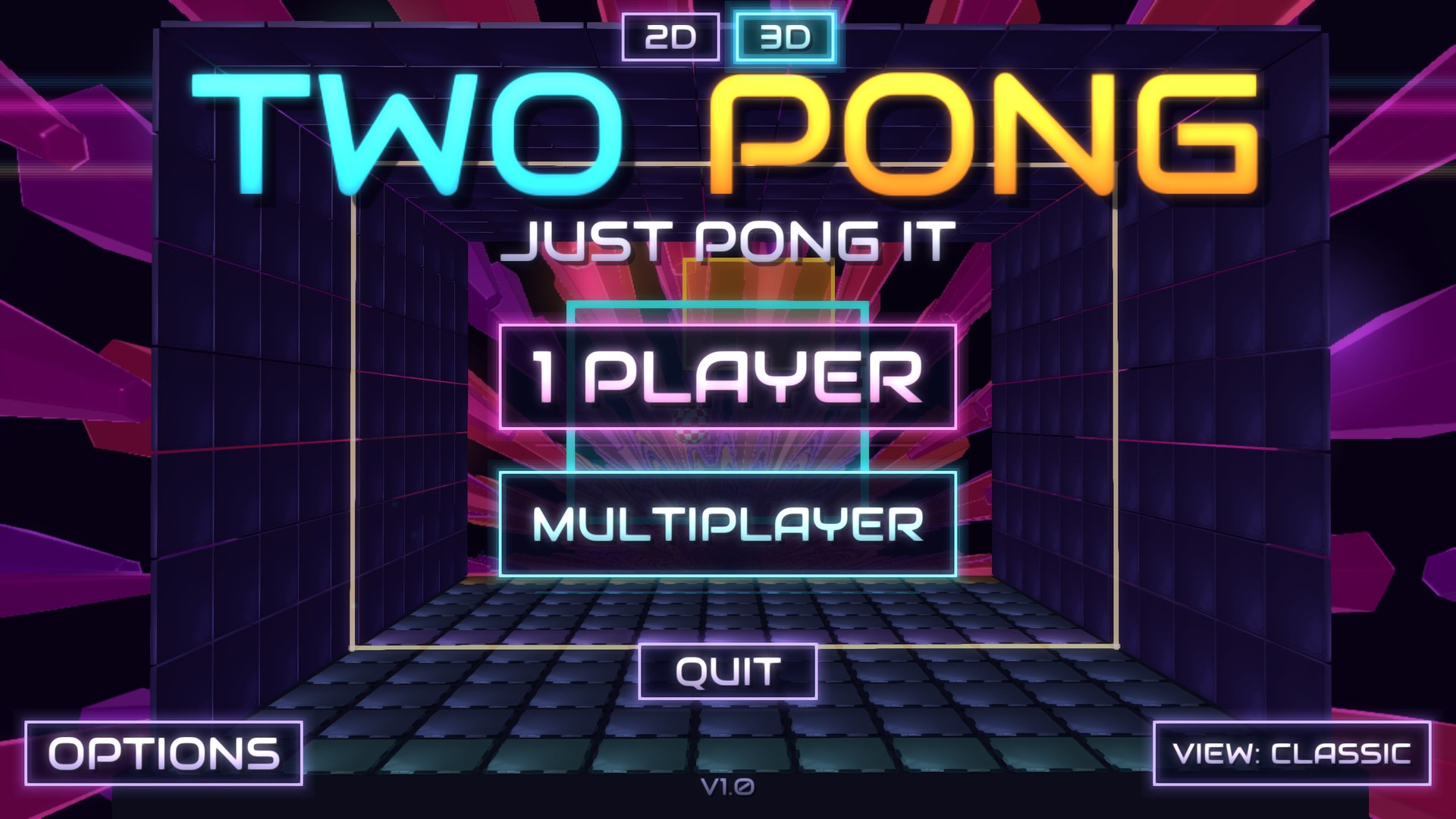
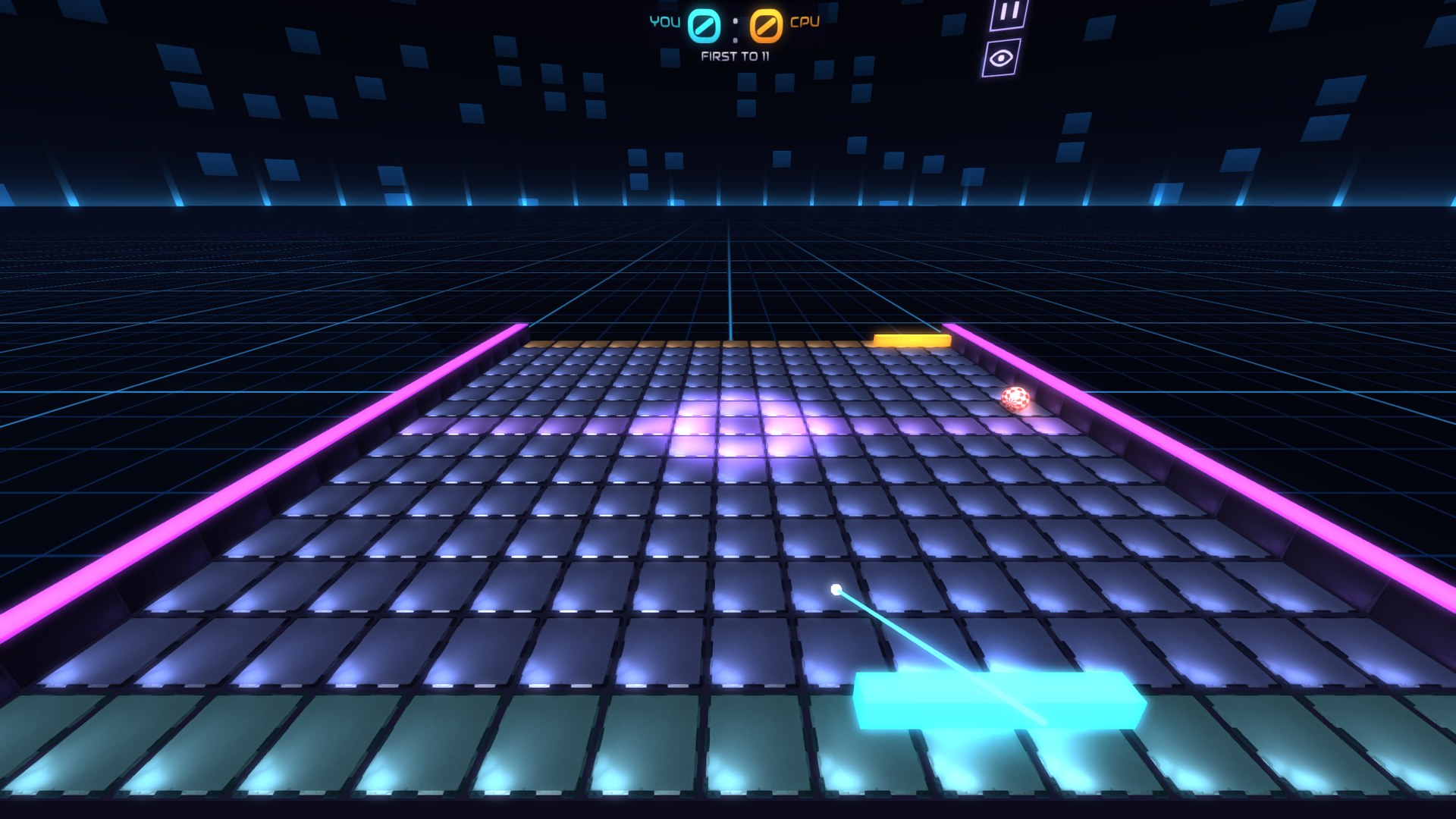
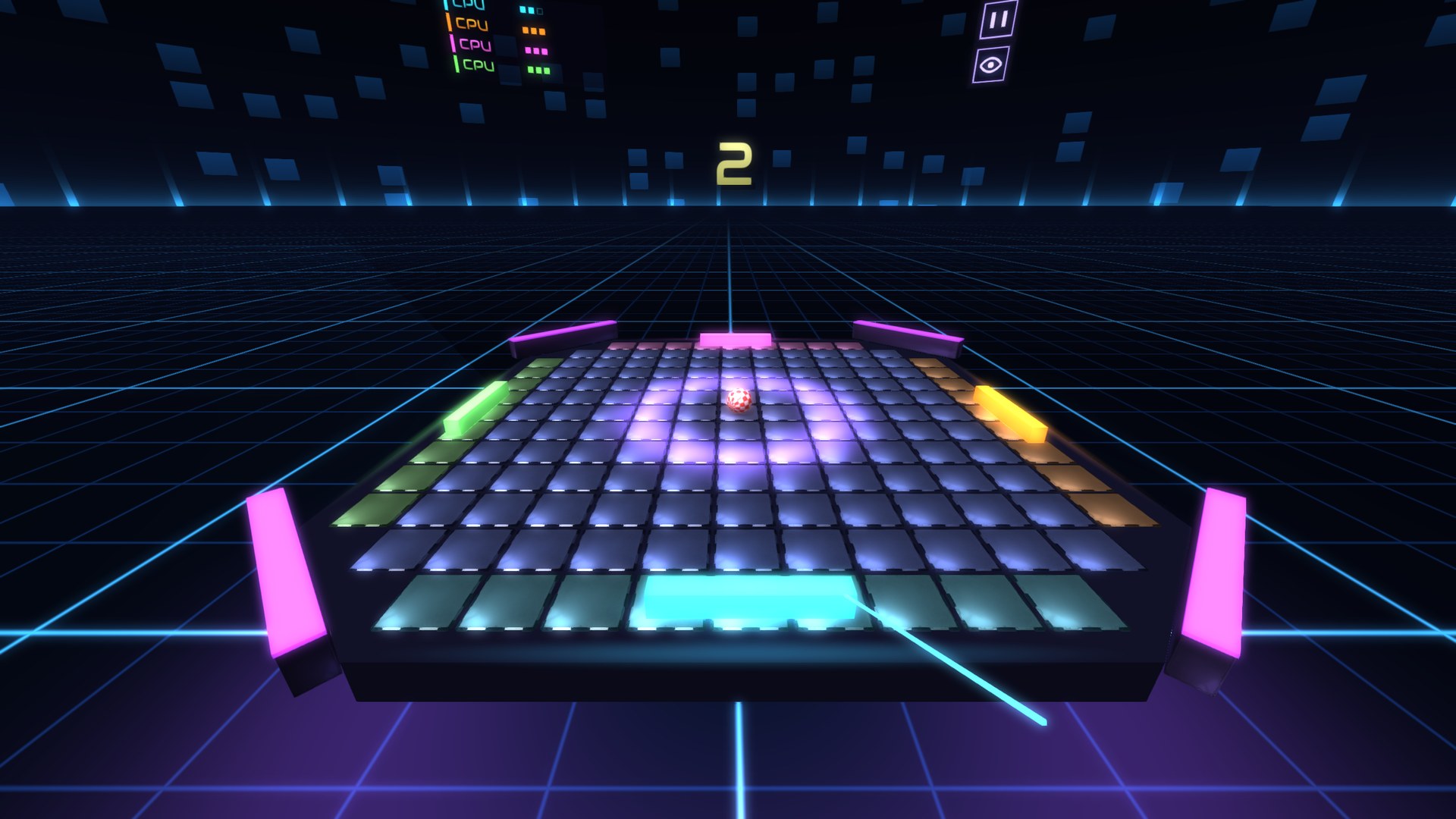
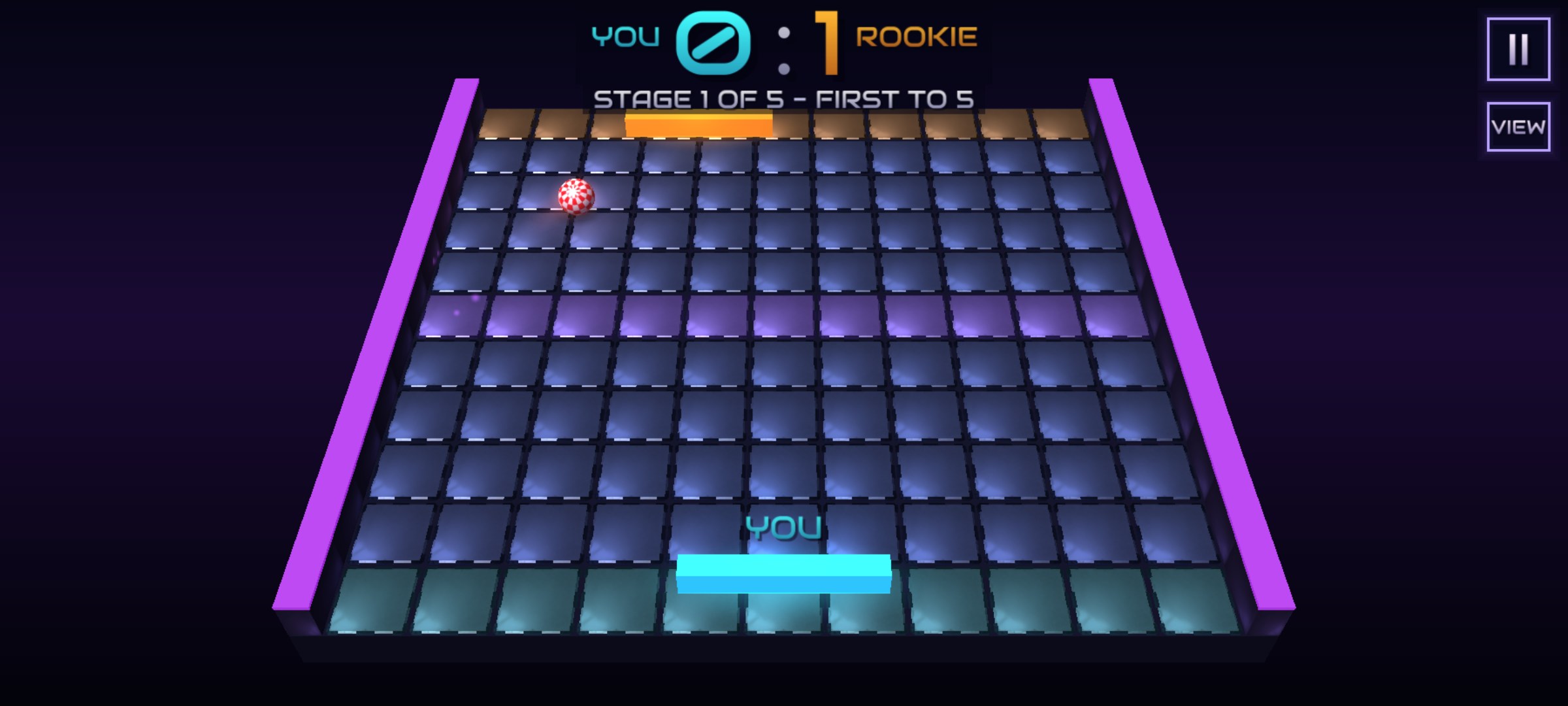
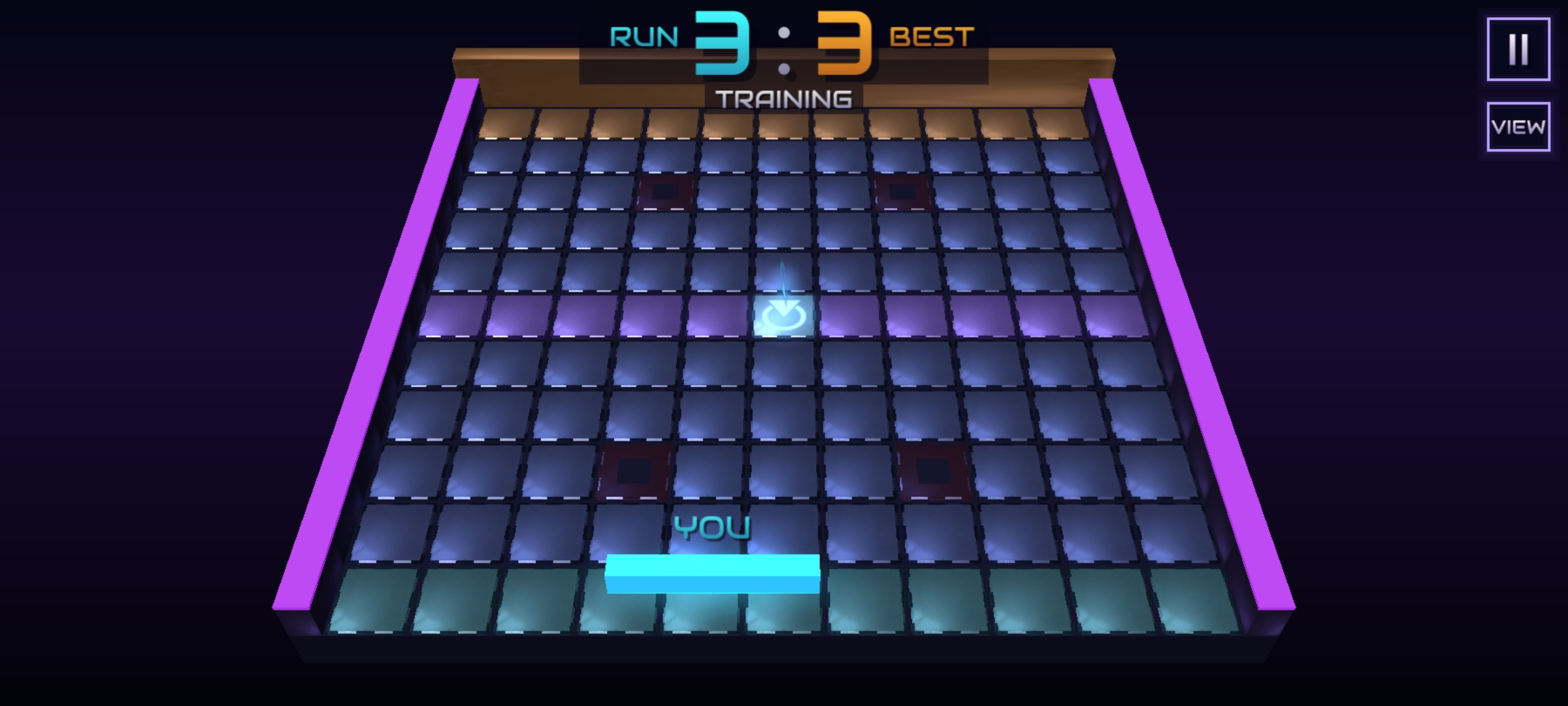
Screenshots: the live Android build (September–October 2026) and the store pictures rendered by the game itself in October 2026 — the VR ones show one eye of the headset view, rendered on a PC.
What It Is
TwoPong is Pong you play with your whole body. Every player holds their own phone in landscape, screen towards them. ARCore follows the phone against the room using the back camera and reports how far it has moved sideways — and that is your paddle. Half a metre to the left and half a metre to the right of your spot is the full travel, so you need about a metre of free floor.
Play the CPU on one device, or two to six people on the local network — phones, PCs and headsets in one match, two phones also over Bluetooth — or put the game on the TV and let the phone's camera watch the players' faces instead. Pick the board, the arena and the rules before each match, or climb the tournament ladder; lose tracking in a duel — too fast, too dark, the camera covered — and the match pauses by itself until you are back.
Ways to Play
🚶Walk against the CPU
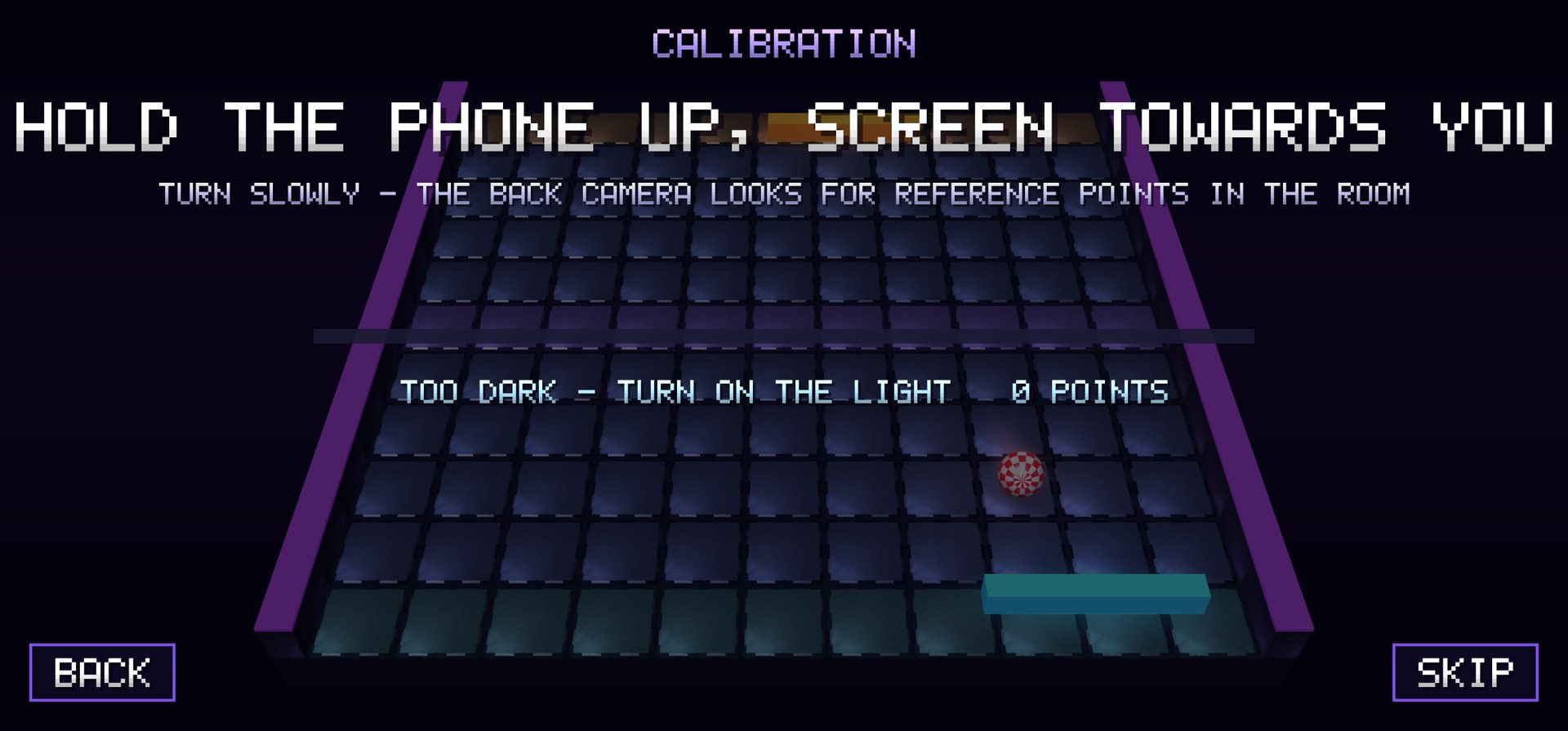
One phone, one player. Calibrate by standing in the middle of your space and holding still, touch both ends of your half-metre reach, and walk. The CPU plays at three levels — Easy, Normal or Hard — and gets sloppier when you hit it with the nastier bonuses.
📱Together on the local network
One device hosts, the others join from a list — over Wi-Fi (the same network or one phone's hotspot), and two phones also over Bluetooth, with no network at all. Phones, PCs and headsets play in one match. The host picks the match options, runs the match and streams the state; every device sees the table from its own end, with its own paddle nearest.
⬢The Ring
Three to six players around a polygon table, each defending one side, with a wall between neighbours. A ball that leaves through your side costs a life (1, 3, 5 or 9). Out of lives, your side is plugged by a wall in your colour — or, if you choose, the table shrinks by one side. The last player with lives wins; free seats go to the CPU, so one player can take on five CPUs.
📺TV mode
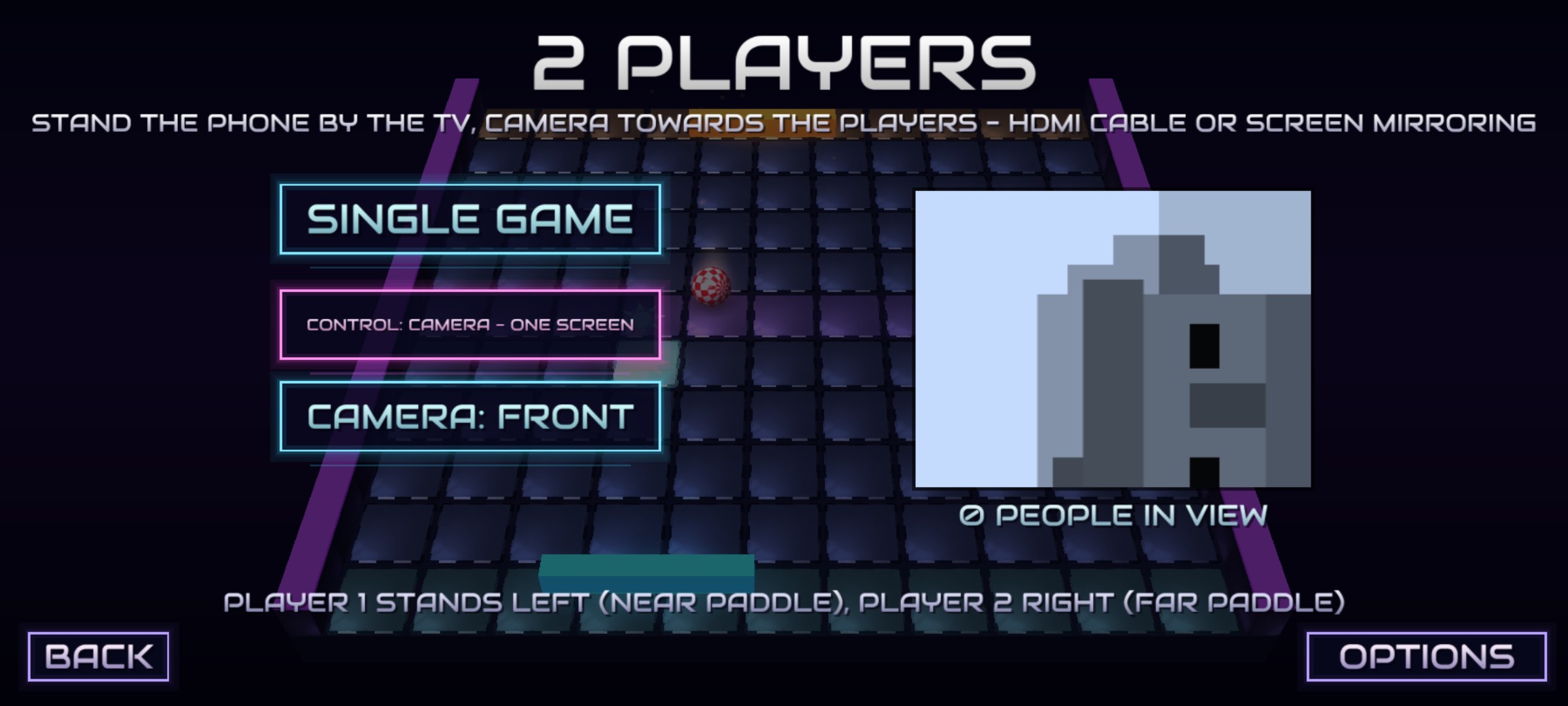
Send the phone to the TV (HDMI or screen mirroring) and stand it by the set with a camera on the players. Face tracking turns where you stand into a paddle position — it doesn't matter how far from the TV you are. One player, two side by side, or up to six in the ring.
Platforms
📱Android
Phones and tablets with Android 7.0 or newer — and a phone connected to a TV. Steer by walking (ARCore), by touch, or with the camera in TV mode. Multiplayer over Wi-Fi, or Bluetooth between two phones. Coming to Google Play.
💻Windows
Windows 10 (version 1809) or newer, 64-bit. The mouse or the arrow keys steer — no walking and no camera on a PC. A choice of picture size, full screen, extra shader backgrounds, bloom and demo effects; plays with phones on the same network. Coming to the Microsoft Store.
🥽Meta Quest
A VR version for Quest 2, 3, 3S and Pro. The table stands in front of you at about desk height, the menus hang in the room and the controller's ray presses them. Point where your paddle should go — or use the thumbstick, or step left and right; in the 3D corridor the paddle is in your hand. Multiplayer over local Wi-Fi (no Bluetooth or camera on the headset). Coming to the Meta Horizon Store.
Features
⚡Faster every rally
The ball speeds up with every return, and where it meets your paddle sets its angle — the classic idea, with a real 3D ball rolling on a tiled board.
🌀Spin
Move sideways while you hit and the ball flies a curve. Its trail turns cyan or magenta to show which way it is spinning.
⭐Bonuses on the board
Bonus tiles appear in the middle band — the tile lights up and its icon floats above it. Whoever touched the ball last collects the one it rolls over: twenty-one bonuses, from a bigger paddle and a shield to extra balls, a magnet, water on the table or trouble for your rival. Active bonuses show under each score with a time bar.
🏟Six arenas
Classic with its sliding barriers, Holes that swallow the ball and cost whoever hit it last, Spinners with rotating bars, Boosters with green tiles that speed the ball up and red ones that slow it down, Portals with cyan and magenta teleport pairs — and Chaos, with all of them at once.
🧱Barriers and the void
In the Classic arena, from the third point on, two sliding barriers rise out of the board to get in the way. A missed ball doesn't just vanish — it rolls off the end of the board into the void.
📐Three boards
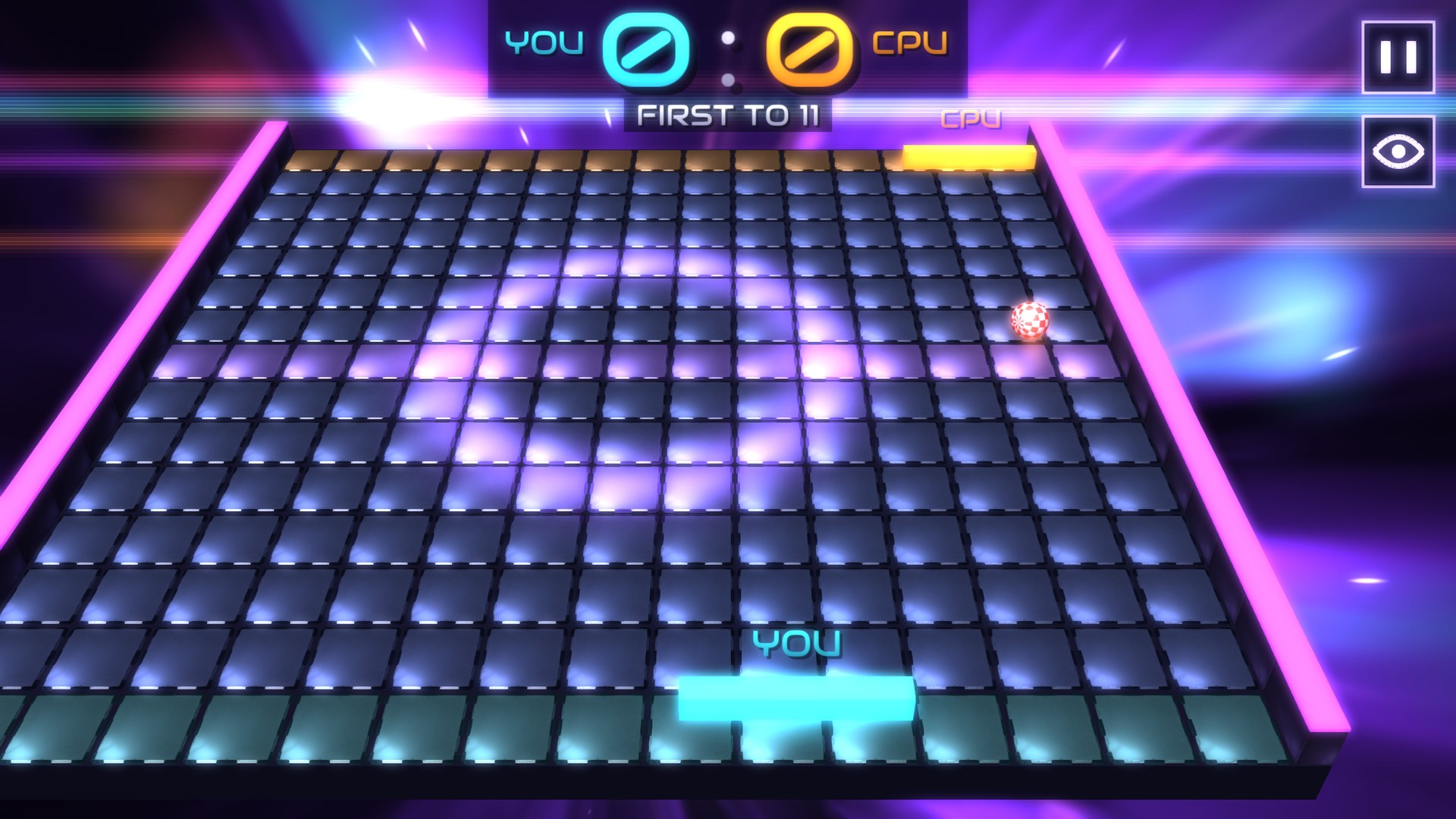
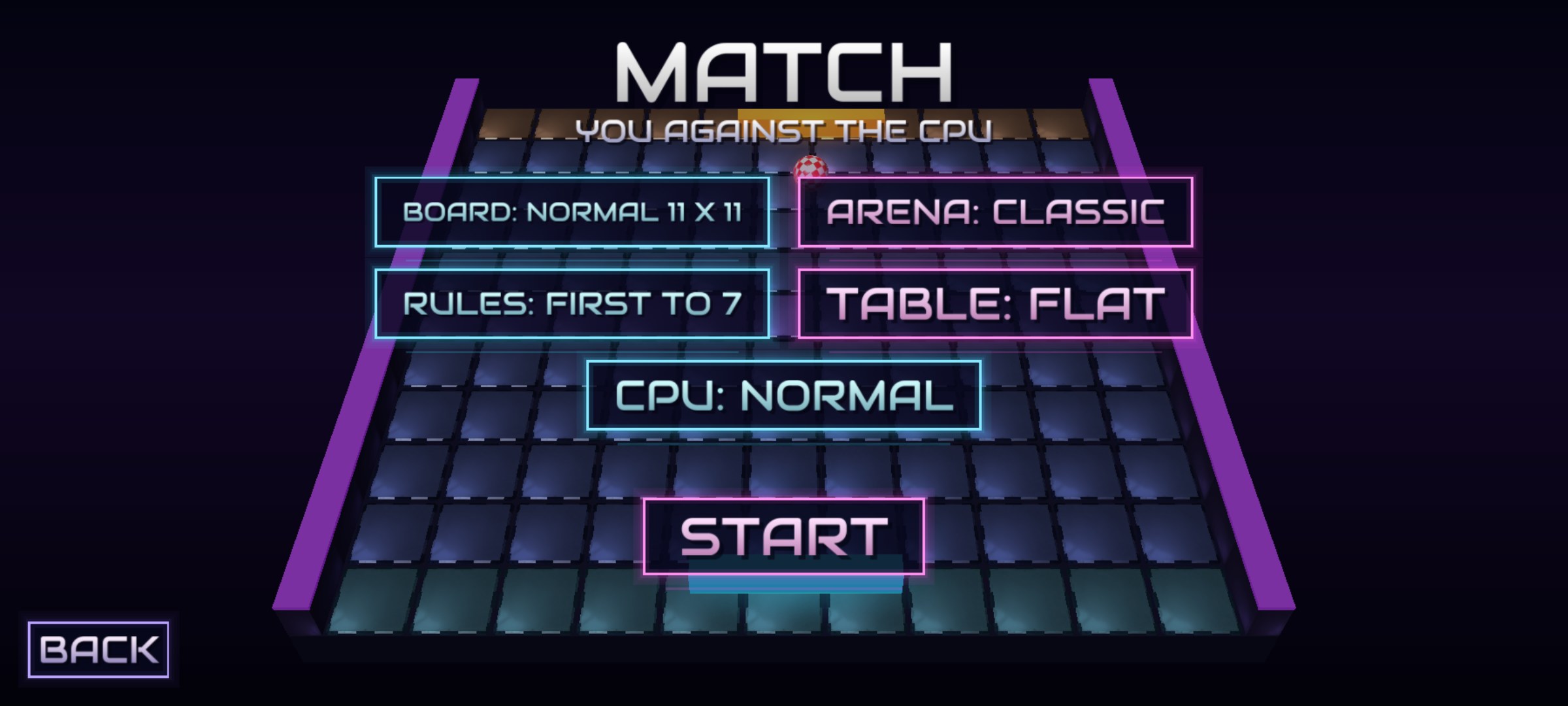
Play on Normal 11×11, Large 15×15 or Huge 19×19 tiles. The ball is faster on the bigger boards; the Classic camera slides with your paddle, while High and Diagonal show the whole board.
📜Five rule sets
First to 7, first to 11, three minutes on the clock (a draw goes to a golden point), sudden death for a single point, or Training: one player, a wall that returns every ball, and a counter for your current and best run.
🧊2D or 3D
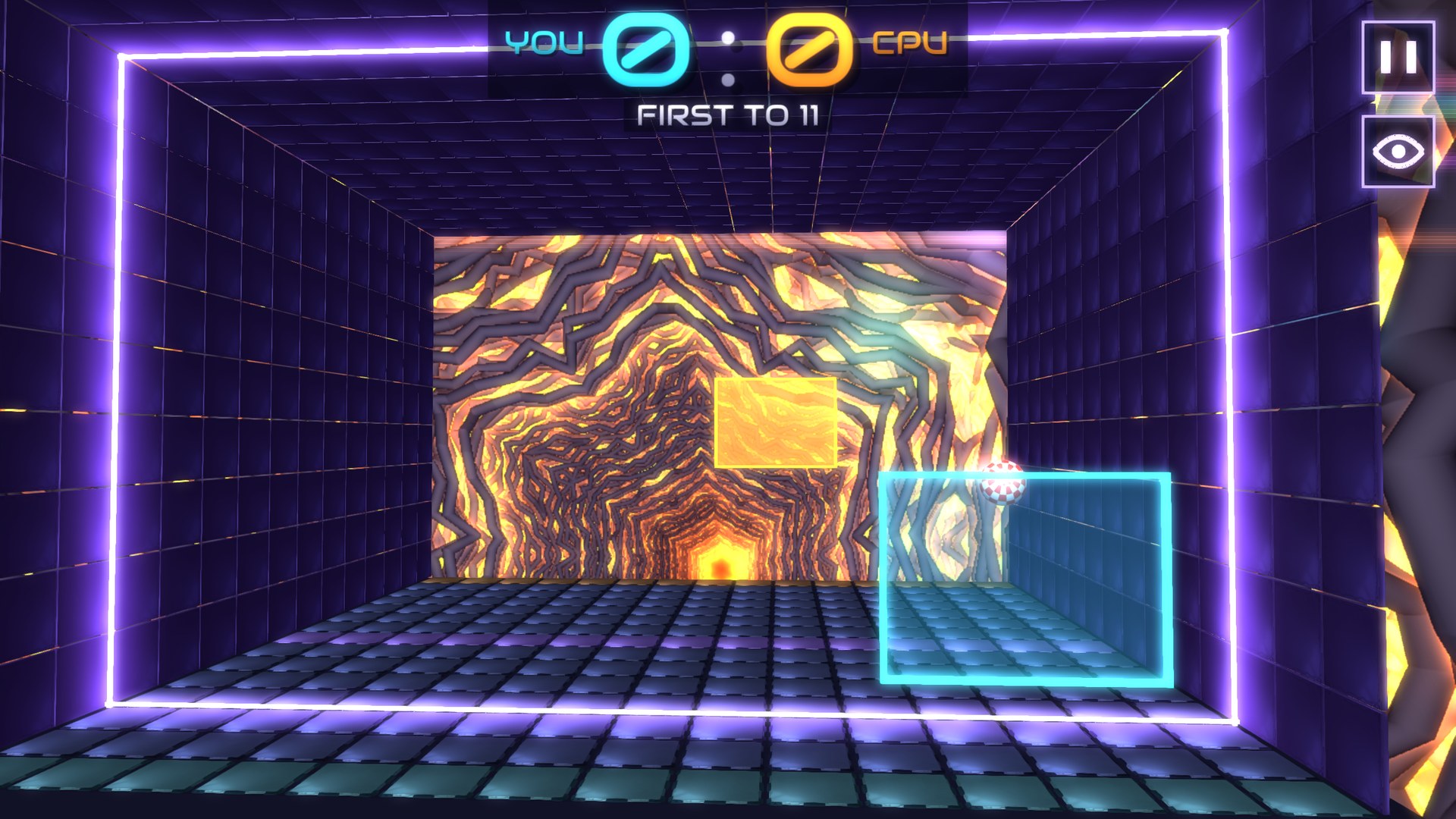
The 2D / 3D switch on the start screen sets how every match is played: the flat table, or a 3D corridor — the ball bounces off the floor, the ceiling and the walls, the camera sits behind your glass paddle, and the paddle moves up and down too: raise or lower the phone, your head in camera mode, your finger with touch, the mouse on a PC, your hand in VR. The ring and a shared TV screen stay flat.
🏆Tournament
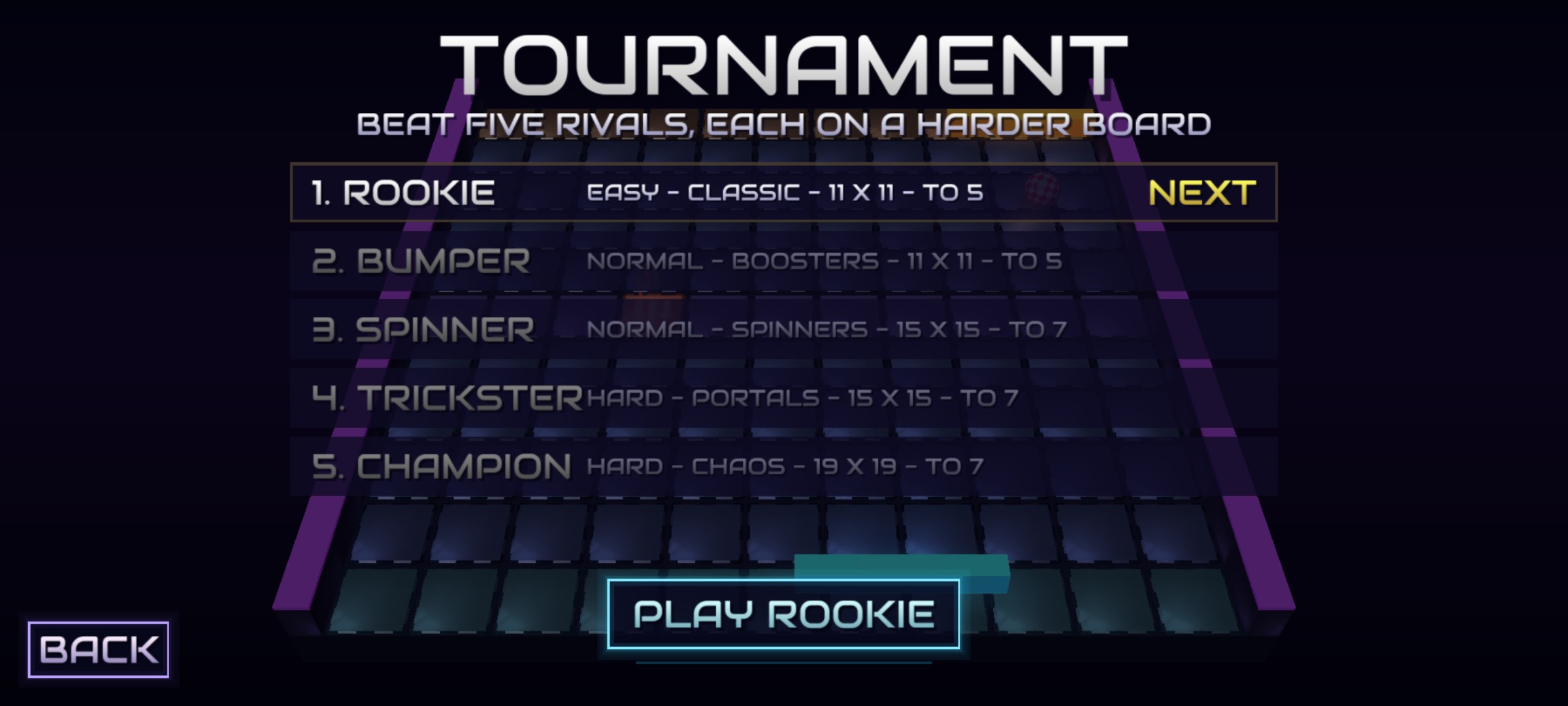
A ladder of five CPU rivals for one player — Rookie, Bumper, Spinner, Trickster and Champion — each on a harder board. Progress is saved, and a lost stage can be retried.
🎥Four cameras
Switch the view any time: Classic behind your paddle, High almost top-down, Diagonal from the corner, or Follow, low and drifting with the ball. Your choice is remembered.
✋Touch, mouse and keys
No room to walk, or a phone without ARCore? Switch to touch control and your finger steers the paddle instead. On a PC the mouse moves it (no button needed), or hold the arrow keys or A D W S.
⚽Neon board, boing ball
The board is a grid of glowing metal tiles between neon walls, the bonus icons light up on the tiles themselves, the menu buttons are neon signs, and the ball is an Amiga-style boing ball — or, in Options, a classic, soccer, tennis or disco ball.
🌌Shader worlds
Behind the table: space, a landscape, a rock tunnel, a star web or the neon Tech Grid room — and on PCs also crystals, a fractal and a nebula. Pick one in Options; the choice is remembered.
🎵Music and effects
Original music by Grzegorz Korycki / Suno — Orbit Rally, Orbit Rally III and Paddle Party, crossfaded in an endless playlist. Music FX swing copper bars and shadebobs behind the table and run a ring of light over the tiles on every beat; on PCs, Bloom + FXAA and Demo FX add a glow, a radial blur on every return and a kaleidoscope when a point is scored.
Bonuses
| Bonus | Effect | |
|---|---|---|
 | Big paddle | Your paddle grows 60% wider for 10 seconds. |
 | Fast ball | The ball speeds up by 30%. |
 | Slow ball | The ball slows down. |
 | Reversed | Your rival's walking is mirrored for 7 seconds. |
 | Blackout | Your rival's lights go out for 6 seconds — only the ball glows. |
 | Shield | For 12 seconds a wall behind your paddle sends one missed ball back — it blinks before it goes. |
 | Quake | Your rival's view shakes for 5 seconds. |
 | Multiball | A second ball joins in (up to three at once); the rally ends when the last one is lost. |
 | Magnet | For 10 seconds the ball sticks to your paddle; a quick step sideways shoots it, or it leaves by itself after 2 seconds. |
 | Ghost ball | For 6 seconds the ball fades out while it flies towards your rival. |
 | Freeze | Your rival's paddle is frozen for 1.2 seconds. |
 | Shrink | Your rival's paddle is 40% smaller for 8 seconds. |
 | Inverted | Your rival's picture turns negative for 6 seconds. |
 | Vanish | Your rival's paddle is not drawn for 5 seconds — it still plays. |
 | Bad signal | Your rival's picture gets scan lines, snow and a rolling bar for 5 seconds. |
 | Upside down | Your rival's view slowly turns upside down and back over 6 seconds. |
 | Torch | For 6 seconds your rival sees only a circle of light round the ball. |
 | Crack | A tile on your rival's half breaks into a hole for 8 seconds (flat table only); a ball that drops in is your point. It glows red before it closes. |
 | Waves | The whole table ripples for 7 seconds. |
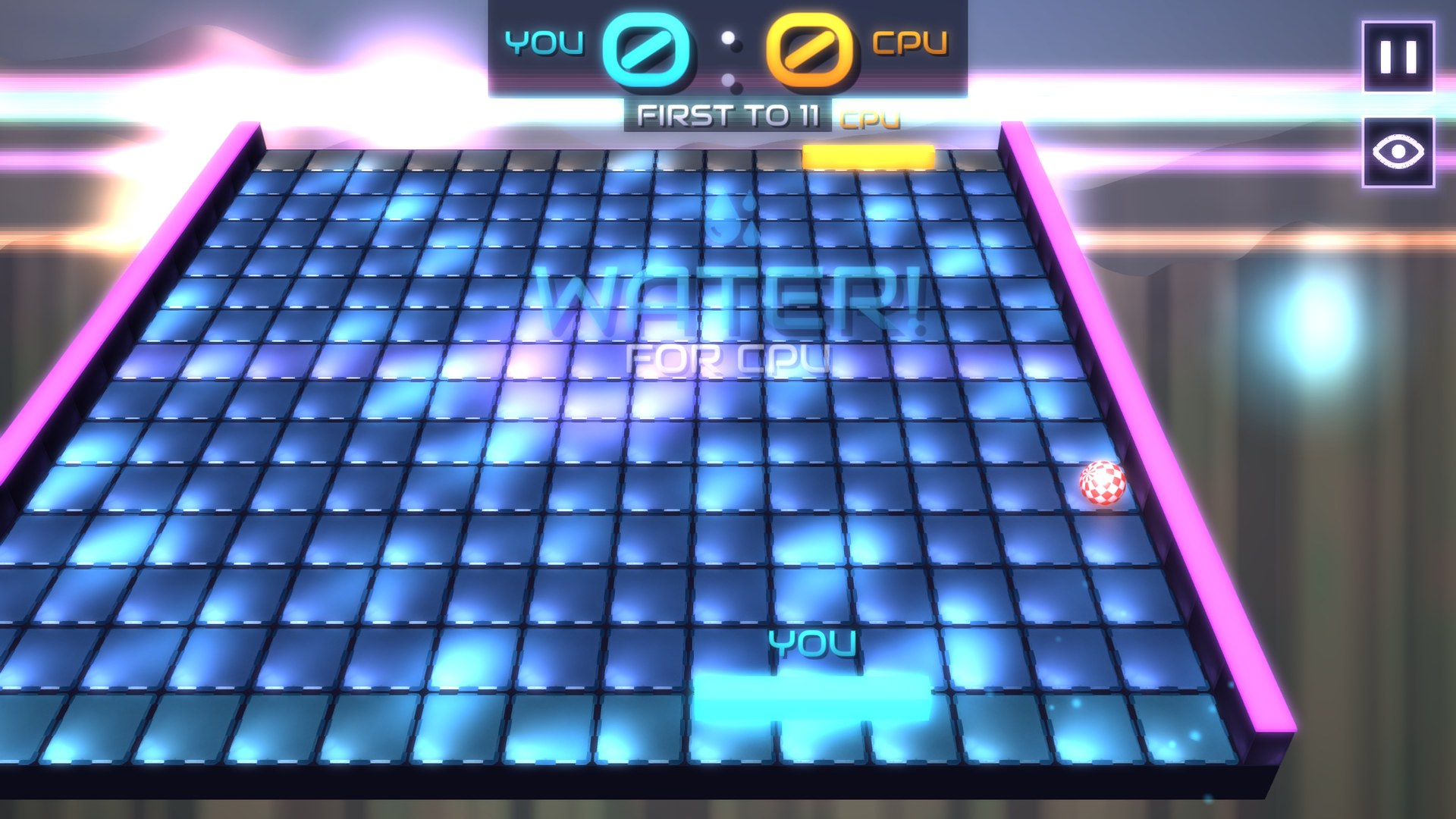
 | Water | The table floods for 8 seconds: the ball slows down at once and caustics run over the floor. |
 | Teleport | The ball jumps to a random spot on the table, keeping its flight. |
Screenshots




System Requirements
- Android 7.0 or newer with OpenGL ES 2.0 — phones and tablets.
- Walking control: a phone that supports ARCore (Google Play Services for AR), with a back camera — and about 1 m of free floor per player, with enough light for the camera to follow the room.
- Playing together: all devices on the same Wi-Fi or local network (or one phone's hotspot) — phones, PCs and headsets mix; two phones can also link over Bluetooth, with no network needed. No internet connection is needed.
- TV mode: a TV connected by HDMI or screen mirroring (Smart View, Chromecast); the phone's front or back camera watches the players.
- No ARCore? Touch control works on any phone that meets the first line.
- Windows: Windows 10 version 1809 or newer, 64-bit; OpenGL 2.1 graphics, 4 GB RAM; a mouse or a keyboard. Recommended: a graphics card from the last ten years.
- Meta Quest: Quest 2, 3, 3S or Pro with Touch controllers (hand tracking is not used); play standing or sitting.
- Comfort and safety: the game uses flashing lights — Music FX, Demo FX and Bloom can be turned off in Options. With walking control and in VR keep free floor around you and mind the furniture and other people.
Status
TwoPong 1.0 is being prepared for release on Google Play (Android phones and tablets), the Microsoft Store (Windows) and the Meta Horizon Store (Meta Quest). Walking, touch, mouse and VR control, the CPU at three levels, duels and the ring for up to six players, TV mode, three boards, six arenas, five rule sets, the 2D and 3D tables, the tournament and twenty-one bonuses are all in.
It is not out yet: the Google Play page goes live with the release, and the Windows and Meta Quest versions will follow in their own stores. No ads, no in-app purchases, no account — it plays offline.
The game collects no personal data — read the privacy policy.